How To Create A Productive Home Office Setup
Let me be honest with you, I spent way too long trying to work productively from my kitchen table, wondering why I felt scattered and drained by noon. Turns out, my environment was quietly working against me the whole time. If you’re in the same boat, this guide on how to create a productive home office setup is going to change things for you, whether you’re a freelancer, a remote employee, or someone building a side hustle after the kids go to bed. And no, you don’t need a spare room or a huge budget to make it work.
Why Your Environment Shapes Your Output
Before we dive into gear lists and desk arrangements, it’s worth pausing to understand why your physical environment matters so much. Cognitive science has consistently shown that the spaces we work in directly influence our ability to concentrate, process information, and regulate our energy throughout the day. Your brain is constantly scanning your surroundings for cues, and a cluttered, poorly lit, or uncomfortable space sends all the wrong signals.
According to a study published by the Harvard Business Review, employees who had control over their work environment reported a 32% increase in productivity compared to those who didn’t. That number alone should make you take your home office seriously. The setup you create isn’t just aesthetic, it’s functional architecture for your brain.
Choose the Right Dedicated Space
The single biggest upgrade most people can make is separating their work area from their living area. Even in a small apartment, this distinction matters enormously. Your brain builds associations between spaces and behaviors over time. When you work from your couch or your bed, those spaces lose their ability to help you relax, and your work suffers because your brain never fully shifts into focus mode.
I know from experience that this feels like a small thing until you actually try it. The difference is immediate. You don’t need an entire room, a dedicated corner, a sectioned-off nook, or even a specific chair used only for work can do the trick. The key is consistency. Use that space only for work, and over time your brain will start to shift gears the moment you sit down there. This is a principle rooted in behavioral psychology called stimulus control, and it’s the same reason sleep experts tell you not to watch TV in bed.
- Choose a spot with natural light if possible, it regulates your circadian rhythm and reduces eye strain
- Keep it away from high-traffic areas like the kitchen or living room where distractions are frequent
- Make sure you have enough surface space to work without feeling cramped or cluttered
- If you share a home with others, communicate your work hours and boundaries clearly
Set Up Your Desk and Chair for Real Comfort
Ergonomics isn’t a buzzword, it’s the difference between a productive afternoon and a backache that ruins your evening. If you’re working 6 to 8 hours a day at a desk, the physical setup of that desk will directly affect your focus, your energy, and your long-term health. Poor posture leads to fatigue, and fatigue is the enemy of good work. Full stop.
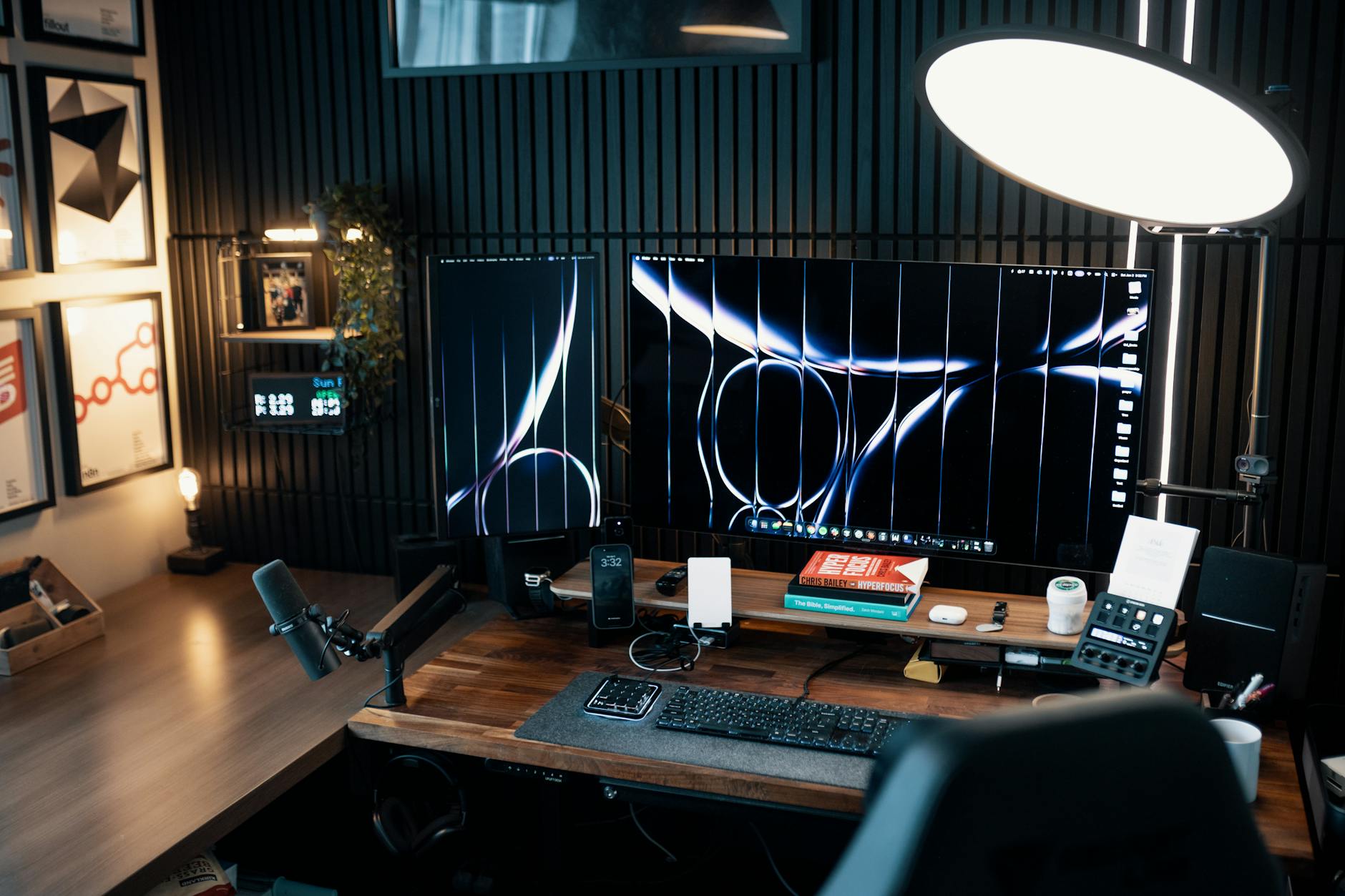
Your monitor should sit at eye level so your neck stays neutral. Your elbows should rest at roughly 90 degrees when your hands are on the keyboard. Your feet should be flat on the floor or on a footrest. If you’re using a laptop, get a separate keyboard and a laptop stand, this single change can dramatically reduce neck and shoulder tension.
Invest in a quality chair with lumbar support if you can. You don’t need to spend thousands on an Aeron chair, but a cheap plastic chair will cost you in energy and discomfort. Look for chairs with adjustable height, armrests, and lower back support. Your body will thank you within the first week.
Get Your Lighting Right
Bad lighting causes eye strain, headaches, and a subtle but consistent drain on your energy. Natural light is the gold standard, if you can position your desk near a window, do it. Just make sure the light source isn’t directly behind your screen or creating glare on your monitor, as that forces your eyes to work harder than they should.
For artificial lighting, aim for layered light rather than a single overhead bulb. A desk lamp with adjustable color temperature is a great addition, warmer tones in the morning to ease you in, cooler daylight tones during your peak work hours to keep you alert. Bias lighting behind your monitor (a simple LED strip) can also reduce eye fatigue significantly during long work sessions.
Manage Your Technology Setup Intentionally
Your tech setup should serve your work, not distract from it. A few thoughtful choices here go a long way toward keeping you on task throughout the day.
- Use a second monitor if your work involves research, writing, or multitasking. Studies consistently show that dual monitors increase productivity for knowledge workers by reducing the time spent switching between windows and losing your train of thought.
- Keep your cables managed and out of sight. Visual clutter on your desk competes for your attention even when you’re not aware of it. Cable clips, velcro ties, and a simple cable box under the desk make a real difference.
- Invest in a good headset or pair of headphones. Whether you’re on video calls or blocking out household noise, quality audio gear is one of the highest-return purchases for a home office worker.
- Use a separate work browser profile or even a separate user account on your computer. Keeping your work digital environment distinct from your personal one reduces the temptation to drift toward social media or personal tasks during work hours.
- Silence non-essential notifications during your deep work blocks. Every ping from your phone or email app is a context switch, and research suggests it takes an average of 23 minutes to fully regain focus after an interruption.
Control Your Sound Environment
Sound is one of the most underestimated elements of a productive workspace. Open-plan environments and busy households can create a constant low-level noise that chips away at your concentration without you even realizing it. Many of us have felt that weird, foggy tiredness at the end of a workday that isn’t really physical exhaustion, that’s often what sustained background noise does to your brain. Identifying your ideal sound environment and actively creating it is a simple habit that pays dividends every single day.
Some people work best in complete silence. Others find that ambient noise, like a coffee shop hum or lo-fi music, actually helps them concentrate by providing a consistent, non-distracting audio backdrop. Apps like Brain.fm or websites like A Soft Murmur offer science-backed ambient sound options specifically designed to support focus. Noise-canceling headphones are worth every penny if you work in a noisy home environment.
Build Rituals That Signal Work Time
A physical setup alone won’t make you productive if you don’t have mental rituals to match it. One of the most effective strategies for remote workers is creating a consistent startup routine, a short sequence of actions that primes your brain for focused work.
This might look like making a cup of coffee, reviewing your task list for the day, and putting on your headphones before you start. It doesn’t need to be elaborate, even five minutes of intentional transition from “home mode” to “work mode” can significantly sharpen your focus. Similarly, having a shutdown ritual at the end of the day signals your brain that work is over, which protects your mental recovery time and prevents that uncomfortable feeling of never being fully off the clock.
Keep It Clean, Keep It Yours
A clean desk isn’t just about looking organized, it’s about reducing what researchers call decision fatigue. Every object in your visual field uses a tiny bit of mental bandwidth. Keeping only what you need on your desk, your computer, a notebook, a water bottle, maybe one small personal item, keeps that bandwidth focused on actual work.
That said, a home office should still feel like yours. A plant, a piece of art, or a meaningful photo can make the space more inviting without becoming a distraction. Research from the University of Exeter found that workers who could personalize their workspace were up to 32% more productive than those in sterile environments. So make it functional, but don’t strip out every trace of personality.
Frequently Asked Questions
Do I really need a separate room to have a productive home office?
Not at all. A dedicated corner, a specific desk in your bedroom, or even a consistent spot at a table can work just as well if you use it exclusively for work. The psychological separation between work space and rest space matters more than the physical size of the area.
What’s the most important piece of equipment to invest in first?
If you’re working long hours, prioritize your chair. Poor seating causes physical fatigue that directly tanks your mental focus and energy levels. After that, good lighting and a proper monitor setup will give you the next biggest return on investment.
How do I stay productive when my home is full of distractions?
Start by communicating your work hours clearly to the people you live with. Use noise-canceling headphones, work in focused time blocks using a method like Pomodoro, and remove your phone from your immediate workspace during those blocks. Physical boundaries and clear routines are more effective long-term than willpower alone.
Final Thoughts
The bottom line is that creating a productive home office isn’t a one-afternoon project, it’s an ongoing process of figuring out what works for your brain, your body, and your specific work. Start with the fundamentals: a dedicated space, proper ergonomics, controlled lighting, and intentional technology use. Then layer in the habits and rituals that signal focus to your brain over time. Small, deliberate changes compound quickly. You don’t need a perfect setup on day one, you just need a better one than what you had yesterday. For more practical guides on building a high-performance work life, explore the rest of what NicheHubPro.com has to offer.
Related Articles
- How To Build A Consistent Work From Home Routine
- How To Fix Your Posture Working From Home
- Digital Minimalism For Better Focus