Best Free Productivity Apps 2026
If you’ve been searching for the best free productivity apps 2026, you already know the market is flooded with options that promise everything and deliver very little. This article cuts through the noise. Whether you’re a grad student juggling deadlines or a marketing manager drowning in Slack notifications, the right free tools can genuinely change how much you get done — without spending a dollar.
Why free productivity apps are worth taking seriously
There’s a common assumption that free software is always the stripped-down, barely-functional version of something better. That’s no longer true. Many of the apps in this list have free tiers that are fully usable for solo users or small teams, and several are entirely free by design. The real question isn’t whether free apps work — it’s which ones match your actual workflow.
According to a 2023 study by McKinsey & Company, employees spend an average of 28% of their workweek managing email alone, with another 19% spent tracking down information. That’s nearly half your week gone before you’ve done any real work. The apps below are specifically chosen because they address these two categories directly: communication overhead and information retrieval.
The best free productivity apps to use in 2026
These aren’t ranked in order of importance because everyone’s workflow is different. What works for a freelance designer won’t necessarily work for a law student. Read through the options and pick what matches your specific bottleneck.
Notion — for organizing everything in one place
Notion has been popular since around 2019, but its free plan became significantly more useful after the company removed the block limit for personal accounts in 2022. In 2026, the free tier still gives individual users unlimited pages, databases, and basic AI features. It works as a note-taker, project planner, reading list, and personal wiki — all inside one tool.
The learning curve is real. Notion is not something you open and immediately understand. Plan for a day or two of setup before it pays off. Once it does, though, you stop juggling five different apps to keep track of things.
Todoist — for people who think in tasks
Todoist has one of the cleanest task management interfaces available, free or paid. The free plan allows up to five active projects, which is more than enough for most individuals. You can set due dates, recurring tasks, and priority levels without touching a paid feature.
What makes Todoist worth mentioning in 2026 specifically is its natural language input. You type “Submit report every Friday at 9am” and it sets the task up correctly. No menus, no dropdowns. For people who hate friction in their systems, this matters a lot.
Google Calendar — still underused by most people
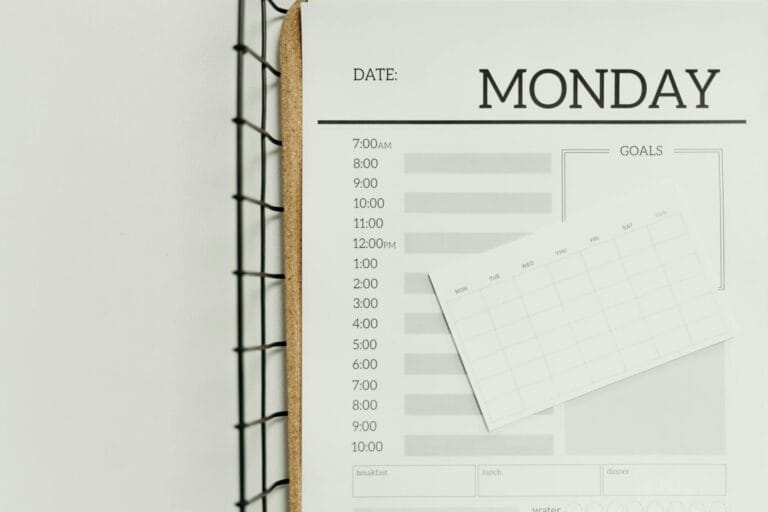
People treat Google Calendar like a passive record of where they have to be. That’s a waste. When you use time-blocking — scheduling specific work tasks directly on your calendar the same way you’d schedule a meeting — your completion rate on deep work goes up noticeably. Google Calendar is free, syncs across every device, and integrates with nearly every productivity tool on this list.
The key habit to build is adding tasks, not just appointments. Block two hours on Thursday morning for “draft article outline” the same way you’d block time for a dentist appointment. Your brain treats calendar entries differently than a to-do list item.
Obsidian — for students and researchers who need to connect ideas
Obsidian is a free note-taking app built around the idea that your notes should link to each other. Instead of folders full of isolated documents, Obsidian lets you create a web of connected thoughts. It stores everything locally on your device, which means no subscription and no cloud dependency.
It’s particularly useful for anyone doing research, studying for exams, or writing long-form content. The graph view — a visual map of how your notes connect — sounds gimmicky but becomes genuinely useful once you have a few weeks of notes built up.
Forest — for breaking phone addiction during focus sessions
Forest is a focus timer app that plants a virtual tree when you start a session. If you leave the app to check social media, the tree dies. It sounds childish. It works surprisingly well for adults too, because the visual consequence of losing a tree creates a tiny psychological barrier to distraction.
The free version gives you full timer functionality. There’s a paid version that lets you grow a real tree through a reforestation partnership, but the core focus tool is free and effective on its own.
How to set up a simple free productivity system in 2026
Having individual apps is one thing. Having them work together as a system is what actually moves the needle. Here’s a four-step setup that takes about two hours to build and requires zero paid subscriptions.
- Set up Notion as your home base. Create a simple dashboard with three sections: current projects, reference materials, and a daily notes journal. Don’t over-engineer it. A basic page with three linked databases is enough to start.
- Connect Todoist for daily task capture. Use Todoist to capture every action item during the day. Keep it separate from Notion because Todoist is faster for quick input. At the end of each week, move completed tasks or key notes into Notion for reference.
- Block your work in Google Calendar. Every Sunday evening, spend 15 minutes looking at your Todoist list and your upcoming week. Block specific time on your calendar for the three to five tasks that matter most. Treat these blocks as non-negotiable.
- Use Forest during your calendar blocks. When a focus block starts on your calendar, open Forest and set a 25 or 50-minute timer. No exceptions. The goal is to make distraction slightly more effortful than focus, not to have perfect willpower.
This system works because it separates capture (Todoist), storage and context (Notion), scheduling (Google Calendar), and execution (Forest). Each tool does one thing well. You’re not asking any single app to do everything.
What to avoid when choosing productivity apps
A few patterns tend to waste time rather than save it:
- Switching apps every few weeks because a new one looks better. Give any system at least 30 days before judging it.
- Spending more time setting up your system than using it. A simple system you actually use beats a perfect system you’re always tweaking.
- Using six different apps for tasks that two could handle. Overlap creates confusion and duplicate work.
- Treating productivity apps as a substitute for prioritization. No app tells you what matters — that decision still belongs to you.
Frequently Asked Questions
Are free productivity apps really as good as paid ones?
For individual users, yes — in most cases. Apps like Notion, Todoist, and Google Calendar have free tiers that cover everything a single person needs. The paid features usually focus on team collaboration, advanced integrations, or increased storage. If you’re working alone, you likely won’t hit the limits of a free plan.
Which app is best if I only have time to try one?
Start with Google Calendar used as a time-blocking tool. It requires no learning curve, works on every device you already own, and the habit of scheduling your work — not just your appointments — has the highest return on investment of any single change on this list.
Will these apps still be free in 2026?
The apps listed here have maintained free tiers for multiple years and have clear business models that don’t depend on removing free access. Notion, Todoist, and Google Calendar in particular have structural reasons to keep personal use free. That said, always check current pricing before building a workflow around a specific plan, since terms can change.
Final thoughts
The best free productivity apps in 2026 are only useful if they match the way you actually work — not the way a productivity influencer tells you to work. Start with one app, use it for a month, and measure whether you’re getting more done or just feeling more organized. Those are two different outcomes. A 2023 Adobe survey found that knowledge workers already use an average of 9.4 apps per day, so the goal isn’t more apps — it’s fewer, used better. Pick one tool from this list today, spend 20 minutes setting it up, and leave the rest for later.