Calendar Blocking Vs To Do Lists Which Is Better
Honestly, I’ve spent more evenings than I’d like to admit staring at a to-do list that barely moved, wondering where the day went. If that sounds familiar, you’re in good company. The debate around calendar blocking vs to-do lists which is better is one that productivity coaches, researchers, and overwhelmed professionals have been having for years. Both systems have real merit. Both have real failure points. And depending on how your brain works and what your days actually look like, one will almost certainly serve you better than the other. This article breaks down exactly how each method works, what the science says, and how to figure out which approach, or which combination, is going to help you get more done without burning out.
What Is Calendar Blocking and How Does It Actually Work?
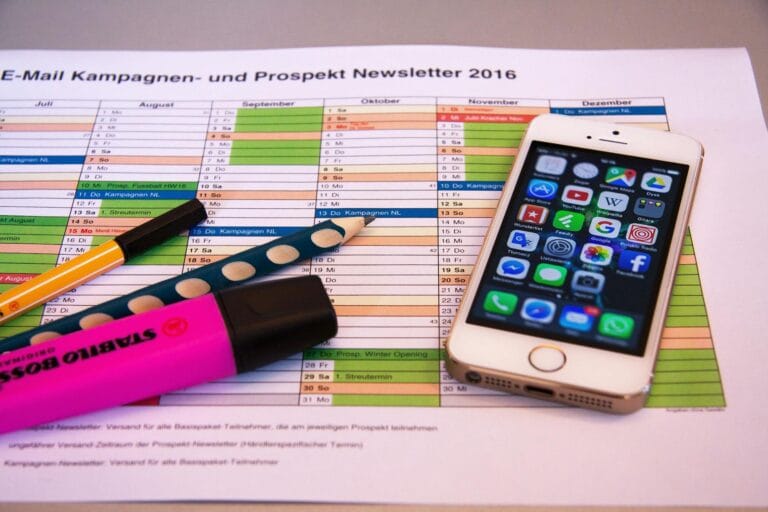
Calendar blocking, sometimes called time blocking, is the practice of scheduling specific tasks into defined time slots on your calendar. Instead of writing “finish report” on a list, you block off 9:00 AM to 11:00 AM on Tuesday and label it “finish report.” The task gets a home in your day, not just a place on a page.
This method gained serious traction after researchers started digging into how humans actually plan their time. A study published in the Journal of Consumer Research found that people who schedule tasks at specific times are significantly more likely to follow through on them than people who simply intend to complete the task at some undefined point. The act of assigning a time creates what psychologists call an “implementation intention,” a mental bridge between your goal and the moment you’ll act on it.
Calendar blocking works especially well for deep work, creative projects, and tasks that require focused, uninterrupted attention. It also forces you to confront the reality of your schedule. When you try to block time for everything on your plate and there simply isn’t room, the calendar doesn’t lie. That honest feedback is uncomfortable, but genuinely useful. I know from experience that seeing a packed calendar with zero breathing room is way more motivating to simplify your workload than any productivity book ever could be.
- Visual clarity: You can see your entire day or week at a glance and spot where you’re overcommitted.
- Reduces decision fatigue: When the time block arrives, you don’t have to choose what to work on, the calendar already decided for you.
- Protects your priorities: High-value tasks get actual real estate in your day, not just a spot at the bottom of a list.
- Creates accountability: Moving a blocked task feels more deliberate than skipping a list item, which builds follow-through.
- Works with energy levels: You can schedule demanding tasks during your peak hours and lighter admin during natural energy dips.
What Is a To-Do List and Why Do So Many People Swear By It?
A to-do list is exactly what it sounds like: a written or digital collection of tasks you need to complete. It’s simple, flexible, and has been the go-to productivity tool for most of human history. There’s a reason your grandmother used one and your manager probably still does.
The psychological satisfaction of checking off a completed task is real. Research on what’s called the “Zeigarnik effect” shows that our brains continue to hold onto unfinished tasks as mental open loops, creating low-level stress until they’re resolved. Writing tasks down relieves some of that cognitive pressure, freeing up mental bandwidth for actual thinking.
To-do lists are also fast to create, easy to update, and work well when your day involves tasks that vary in length or when you’re managing many moving parts across multiple projects. They’re great capture tools. The problem is that most people are better at building lists than working through them. Many of us have felt that weird mix of pride and guilt, a beautifully written list that somehow never gets shorter.
- Low barrier to entry: You can start a to-do list in under two minutes with nothing but a pen and a sticky note.
- Flexible by nature: If priorities shift, you can reorder your list instantly without rescheduling your entire day.
- Works across all task types: Great for capturing quick wins, errands, follow-ups, and multi-step projects in one place.
- Reduces mental clutter: Getting tasks out of your head and onto paper is genuinely calming and improves focus.
- Easy to share and collaborate: Team to-do lists and shared task managers make delegation and tracking straightforward.
Where Each System Falls Short
Calendar blocking has a significant weakness: rigidity. Life interrupts. Meetings run over. An urgent email derails your 10:00 AM focus block, and suddenly the whole day feels like it’s fallen apart. People who are perfectionistic about their blocked schedules often abandon the system entirely when the first disruption hits, which happens fast in most professional environments.
To-do lists fail for a different reason. They don’t account for time. A list of fifteen items looks manageable until you realize that three of them are two-hour projects and your actual available work time today is four hours. Lists create an illusion of control without forcing you to make real choices about what fits. They also have no built-in mechanism for urgency. Everything on the list exists at the same priority level until you decide otherwise, and that decision often gets avoided.
How to Build a Hybrid System That Actually Holds Up
The most practical approach for most busy professionals isn’t choosing one system and rejecting the other. It’s using them together in a way that combines the flexibility of lists with the structure of time blocking. Here’s a four-step process that works:
- Brain dump everything into a master list at the start of each week. Don’t filter or prioritize yet. Just get every task, project, errand, and commitment out of your head and into one place. This clears mental space and gives you the full picture.
- Categorize tasks by estimated time and type. Tag each item with an approximate time requirement (15 minutes, one hour, half a day) and whether it requires deep focus or can be done on autopilot. This step makes the next one much easier.
- Block time on your calendar based on your energy patterns. Schedule deep-focus tasks during your peak cognitive hours, batch similar admin tasks together in one block, and leave intentional buffer time between blocks to handle the unexpected. Don’t pack every hour, aim for about 70 to 80 percent planned capacity.
- Keep a short daily list of three to five priority tasks within each block. At the start of each work session, look at your time block label and pull only the relevant tasks from your master list. This gives you the structure of the calendar with the satisfaction of checking off items on a list.
Which One Should You Actually Choose?
If your work involves long stretches of focused output, writing, analysis, design, coding, strategy, calendar blocking will likely give you a measurable productivity boost. The structure removes the friction of deciding what to work on and protects time that would otherwise get eaten by reactive tasks.
If your role is heavily reactive, you’re in client services, operations, or a role where your day shifts constantly based on incoming demands, a well-organized to-do list with priority tiers (urgent vs. important vs. nice to have) will serve you better. Trying to rigidly block a calendar in a role like this creates more stress than it relieves.
Most professionals fall somewhere in the middle, which is exactly why the hybrid approach described above tends to outperform either system used in isolation. According to a study cited by the American Psychological Association, workers who plan their tasks with specific time estimates complete significantly more within a given period than those who plan without time consideration, supporting the case for bringing some degree of time-awareness into any task management system.
Frequently Asked Questions
Can I use calendar blocking if my schedule changes constantly?
Yes, but you’ll need to build flexibility into the system. Block “reactive time” or “flex blocks” each day to absorb interruptions and urgent tasks. This way, disruptions go into a designated space instead of blowing up your entire structure. The key is treating your blocks as intentions, not rigid contracts.
How long should a typical time block be?
Research on focused work suggests that most people can sustain deep concentration for 60 to 90 minutes before cognitive performance drops significantly. Starting with 45 to 90-minute blocks is a reasonable range for most tasks. For creative or complex work, longer blocks can be valuable if you protect them carefully.
Why do I finish my to-do list but still feel unproductive?
This is extremely common. It usually means your list is filled with low-effort, low-impact tasks that are easy to complete but don’t move the needle on your actual priorities. Try auditing your list by asking: “If I only got three things done today, which three would actually matter?” That question cuts through the noise fast.
Final Thoughts
The bottom line is, the calendar blocking vs to-do lists debate doesn’t have a single winner because productivity isn’t a one-size-fits-all problem. What matters is building a system that matches how your work actually flows, not how it looks in a productivity influencer’s perfectly color-coded screenshot. Start by honestly assessing your role, your energy patterns, and where your current system is breaking down. Then test a combination of both tools for two focused weeks. Adjust from there. The best system is the one you’ll actually use consistently, and that’s something only you can figure out through real experimentation, not theory.